Внешний доступ к базе данных
Напротив базы есть кнопка Изменить, при нажатии на которую открывается страница с формой настроек.
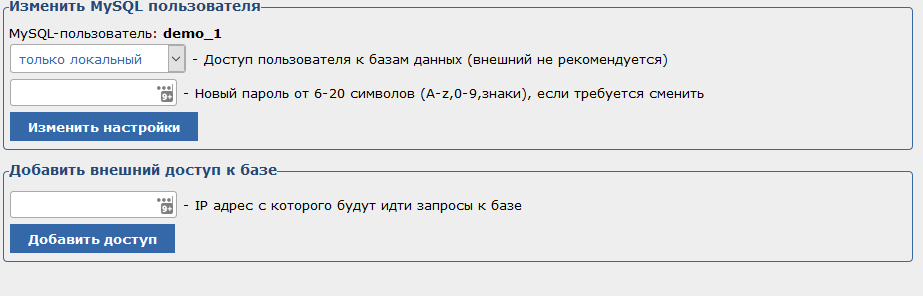
· Доступ к базе
В этом поле указывается тип доступа к базе данных, локальный или внешний.
Рекомендуем не активировать внешний доступ, если вы не используете базу данных для подключения с других серверов.
· Пароль
Изменение пароль от базы данных, для логина именно от этой базы.
· Добавить внешний доступ к базе
В данной форме указывается IP адрес сервера, который будет подключаться к базе удаленно.
Открыть внешний доступ к базе можно Только для указанных IP адресов. Для всех остальных доступ будет закрыт.