SSL-сертификат на хостинг с Webserv24
Внимание! Из соображений безопасности, папка с сертификатом не должна быть доступна по вашему домену.
Все обозначения, такие как domain.ru, необходимо заменить на ваш домен, для которого устанавливаете SSL-сертификат.
В случае возникновения каких-либо сложностей при подключении SSL и установке сертификата, вы всегда можете обратиться в службу технической поддержки.
Настройка SSL
Перейдите в раздел Домены → настройки.
В настройках домена найдите пункты:
Выбор SSL сертификата — в выпадающем меню выбираем Свой SSL сертификат
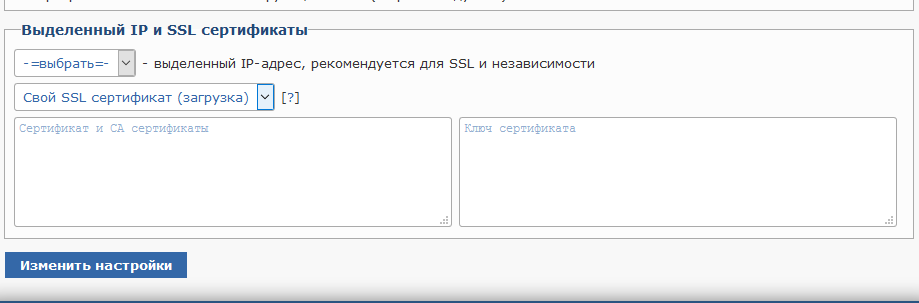
Важно.
Содержимое файла domain_ru.crt обязательно должно быть сверху, а содержимое файла AAA_Certificate_Services.crt корневого CA Root AAA-cross сертификата должно быть внизу. Всю работу с копированием и вставкой содержимого crt-файлов рекомендуется осуществлять через Notepad++
Перенаправление с http:// на https://
Если используемая CMS не имеет встроенных функций, позволяющих изменить основной адрес веб-сайта с http:// на https://, вы можете настроить принудительный редирект с помощью файла .htaccess.
Для этого в корневой директории веб-сайта создайте файл .htaccess или, если он уже есть, разместите в нём указанные строки в самом начале файла:
RewriteEngine On
RewriteCond %{ENV:HTTPS} !on
RewriteRule (.*) https://%{HTTP_HOST}%{REQUEST_URI} [R=301,L]